Miner - PoS Staking & Validator System
Overview
TBC Wallet's Miner feature enables you to participate in the Proof of Stake (PoS) consensus mechanism. Stake your tokens, vote for validators, manage nodes, and earn rewards through a secure and user-friendly interface.
1. Staking & Validator Module
My Validator
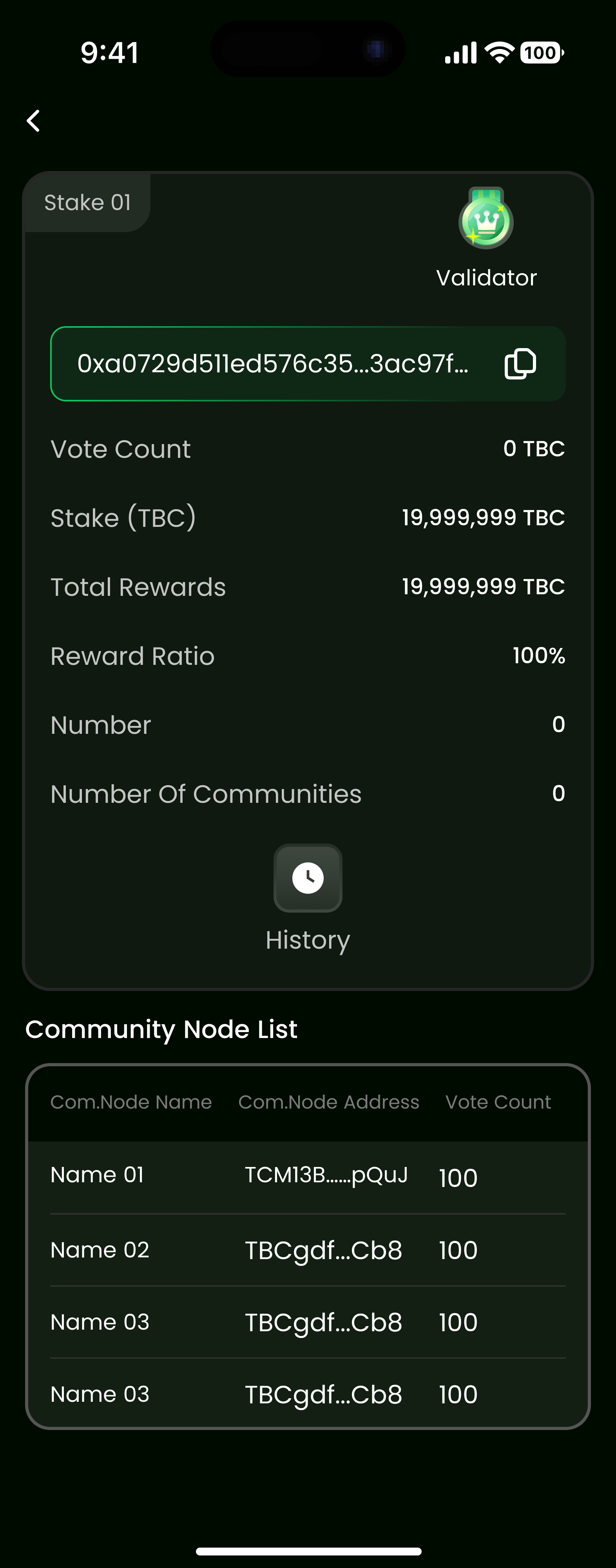
View all validators you're currently staking with in the My Validator section. This dashboard provides an overview of your staking positions, total staked amount, and current rewards.
Validator Detail
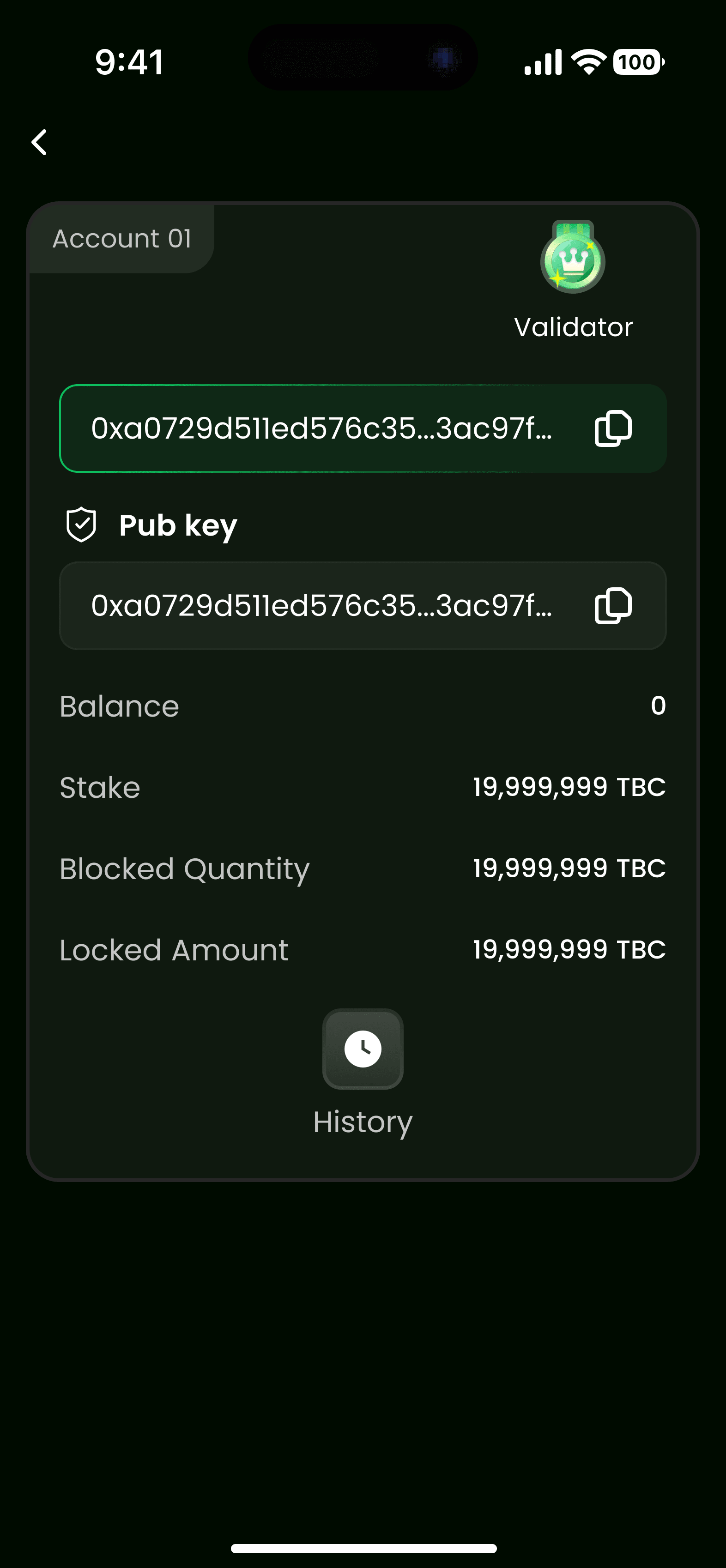
Each validator displays comprehensive information:
- Node Name/ID: Unique identifier for the validator node
- Commission Rate: Percentage of rewards taken by the validator
- Total Stake: Total amount of tokens staked across all delegators
- Performance Metrics: Uptime percentage and block signing success rate
- Reward History: Historical reward distribution data
Staking Options
Common Node to Com.Node Staking
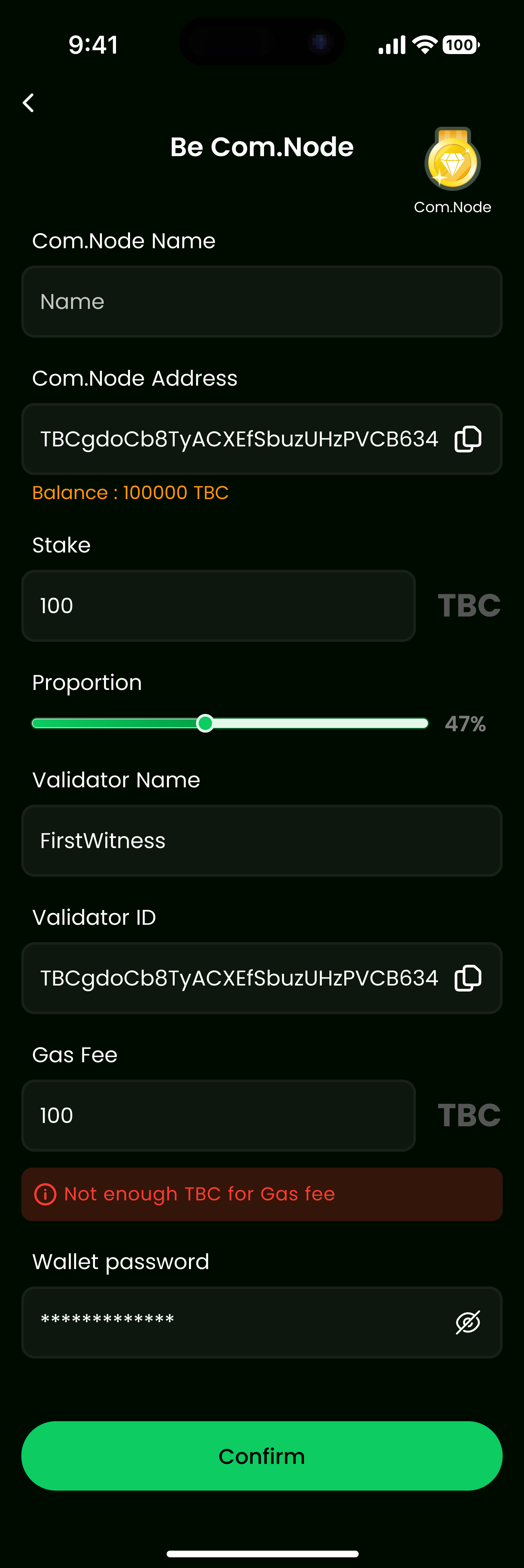
Stake your tokens into Common Nodes (Com.Node) or regular validator nodes:
- Navigate to the validator list
- Select a validator you want to stake with
- Review validator details and commission rates
- Enter the amount you want to stake
- Confirm the transaction
Light Node Detail / Com.Node Detail
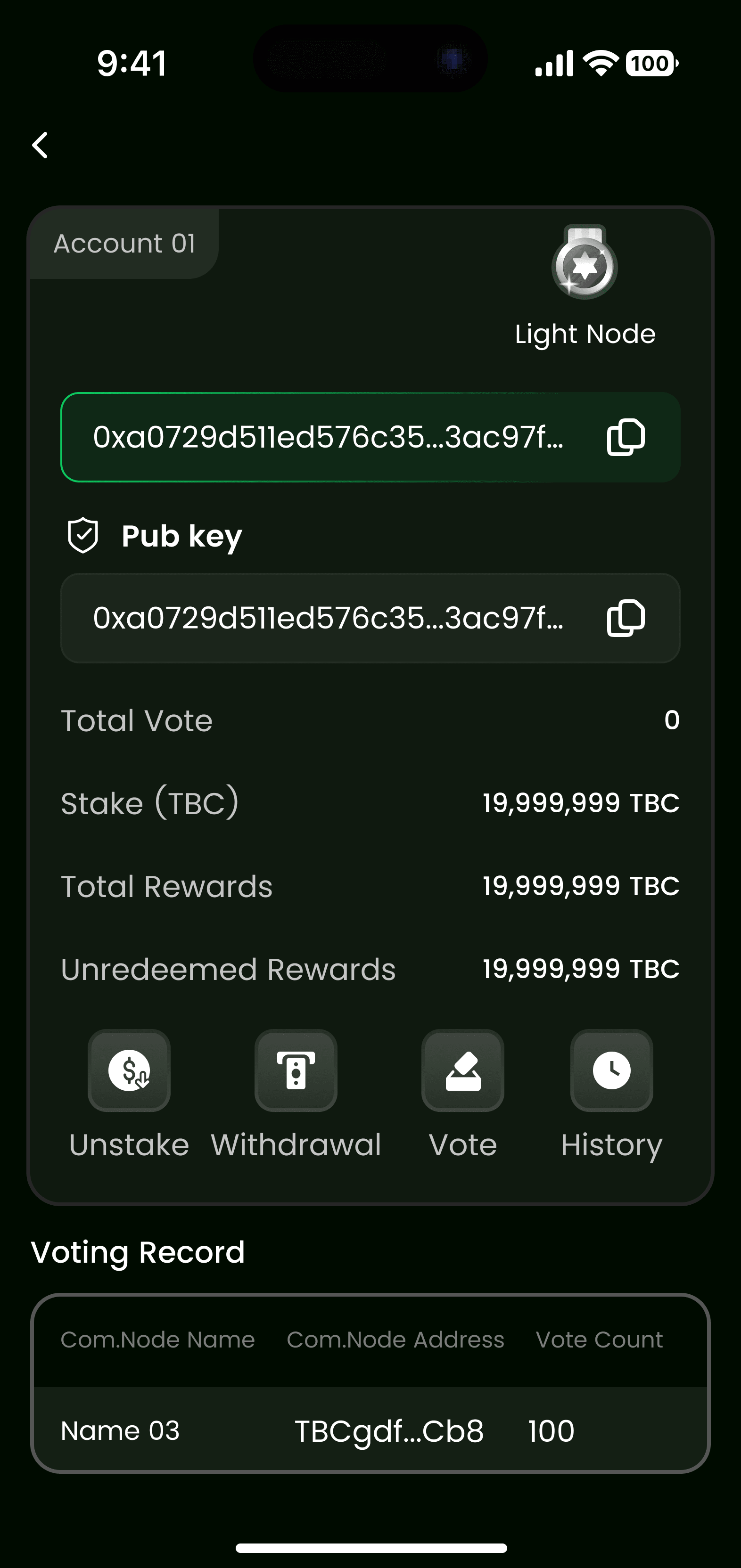
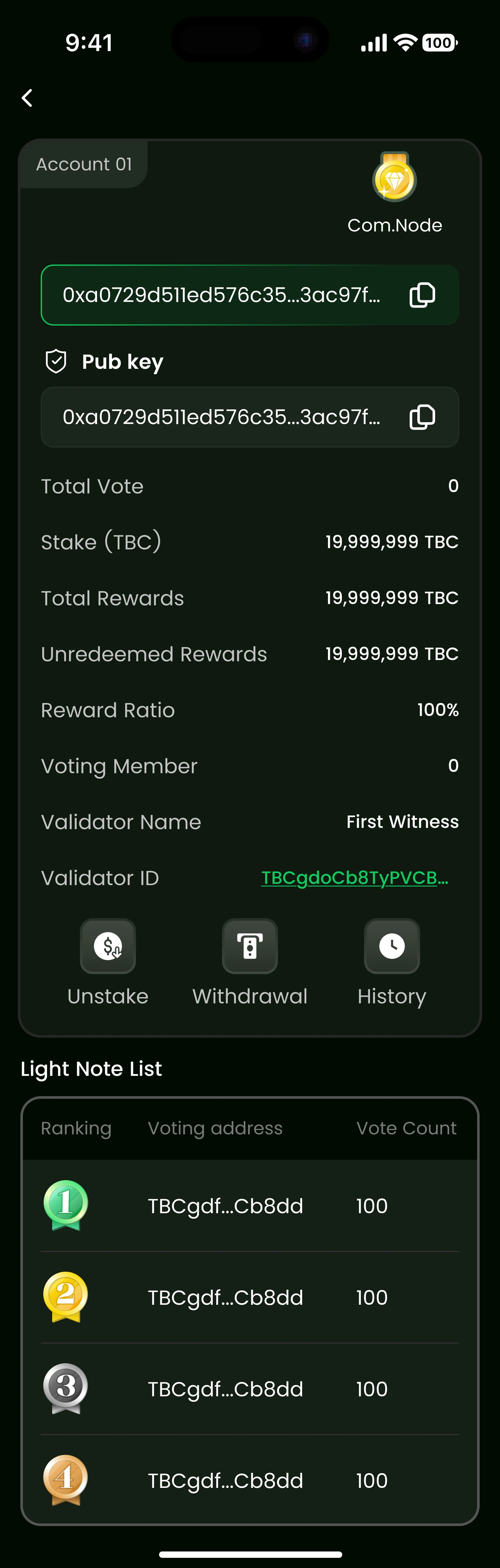
View detailed information about specific node types:
- Light Node: Lightweight validator nodes with optimized resource usage
- Com.Node: Common nodes that serve as standard validators in the network
Both node types display:
- Total stake amount
- Current reward rate
- Operational status (active/inactive)
- Performance statistics
Unstaking
Light Node Unstake / Com.Node Unstake
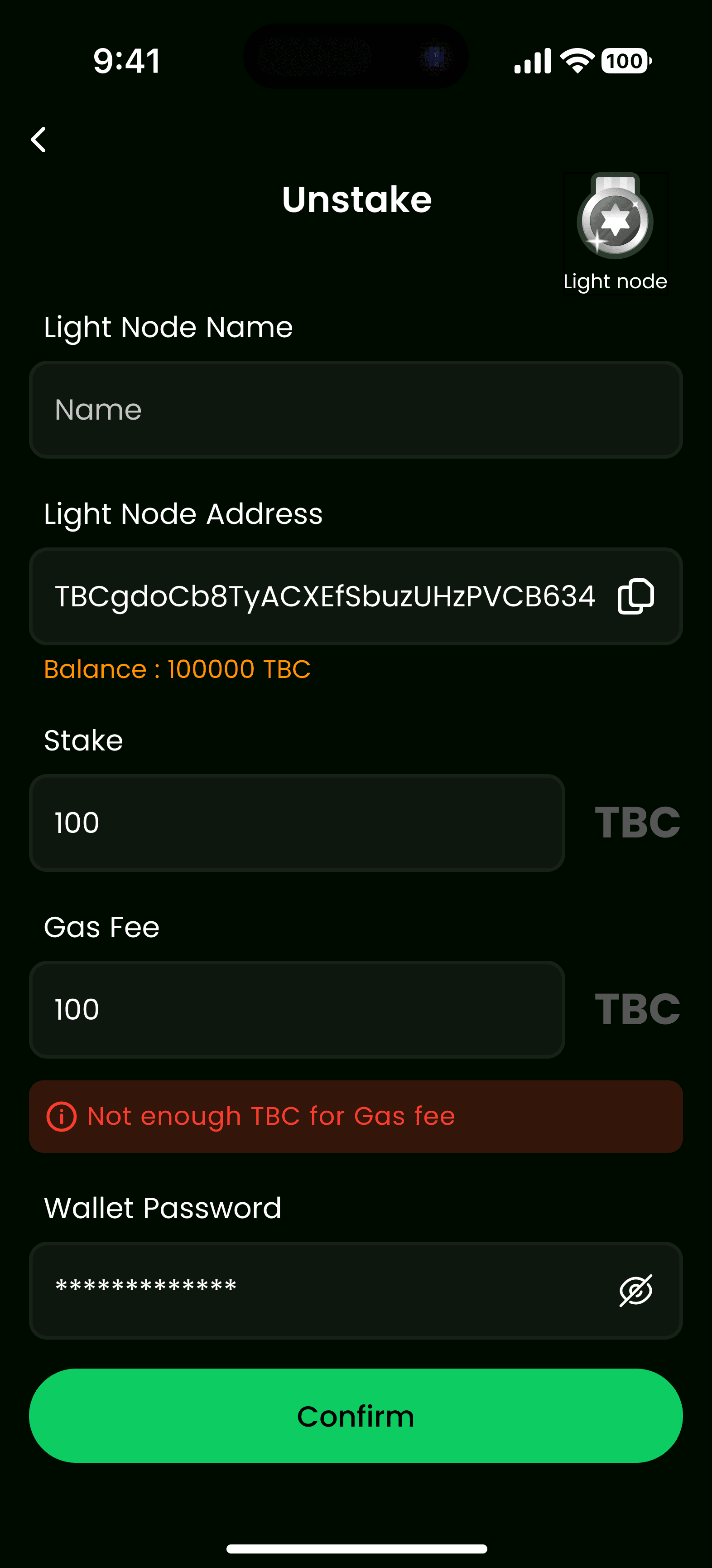
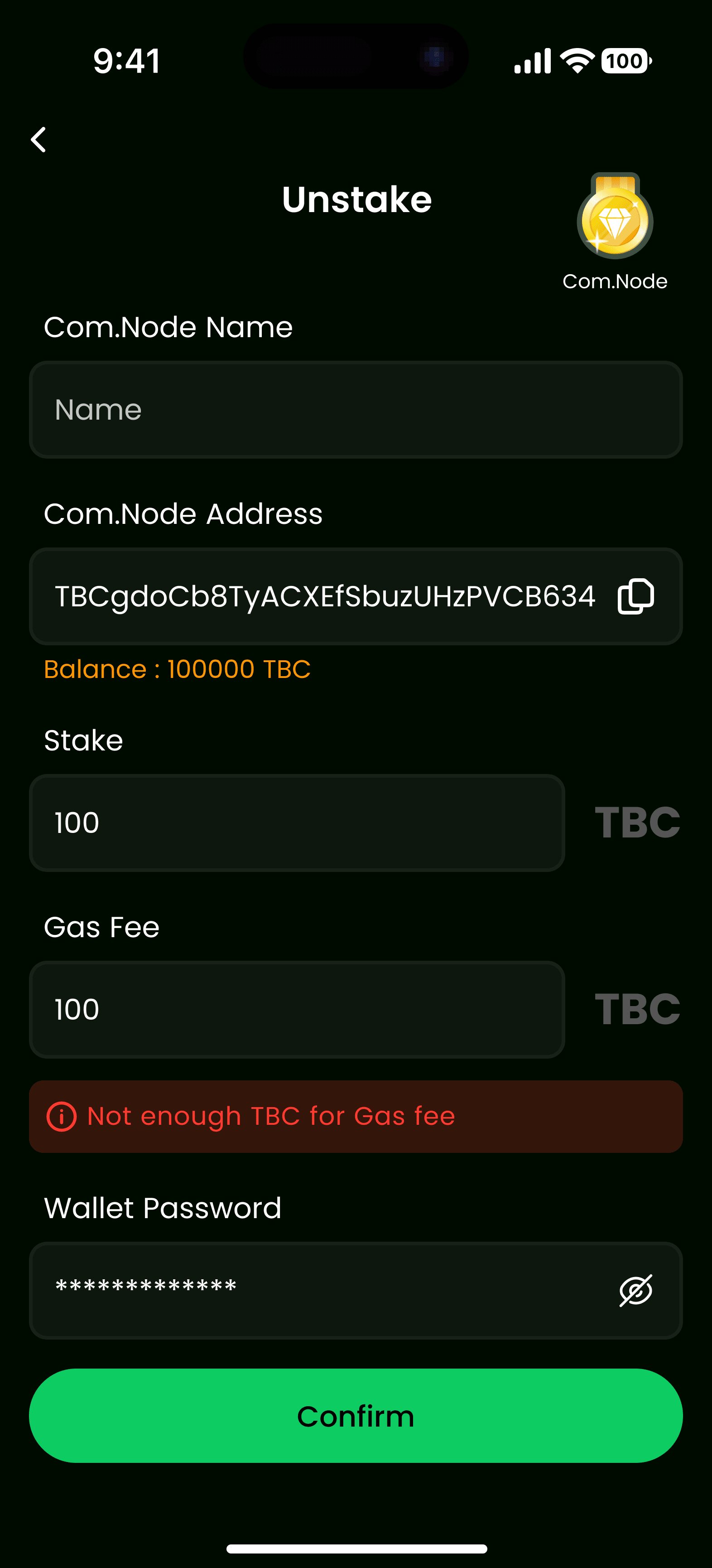
To withdraw your staked tokens:
- Go to My Validator section
- Select the validator you want to unstake from
- Click Unstake and enter the amount
- Confirm the unstaking transaction
- Wait for the unbonding period (if applicable)
Note: Unstaking may require an unbonding period before tokens are available for withdrawal.
Create Node
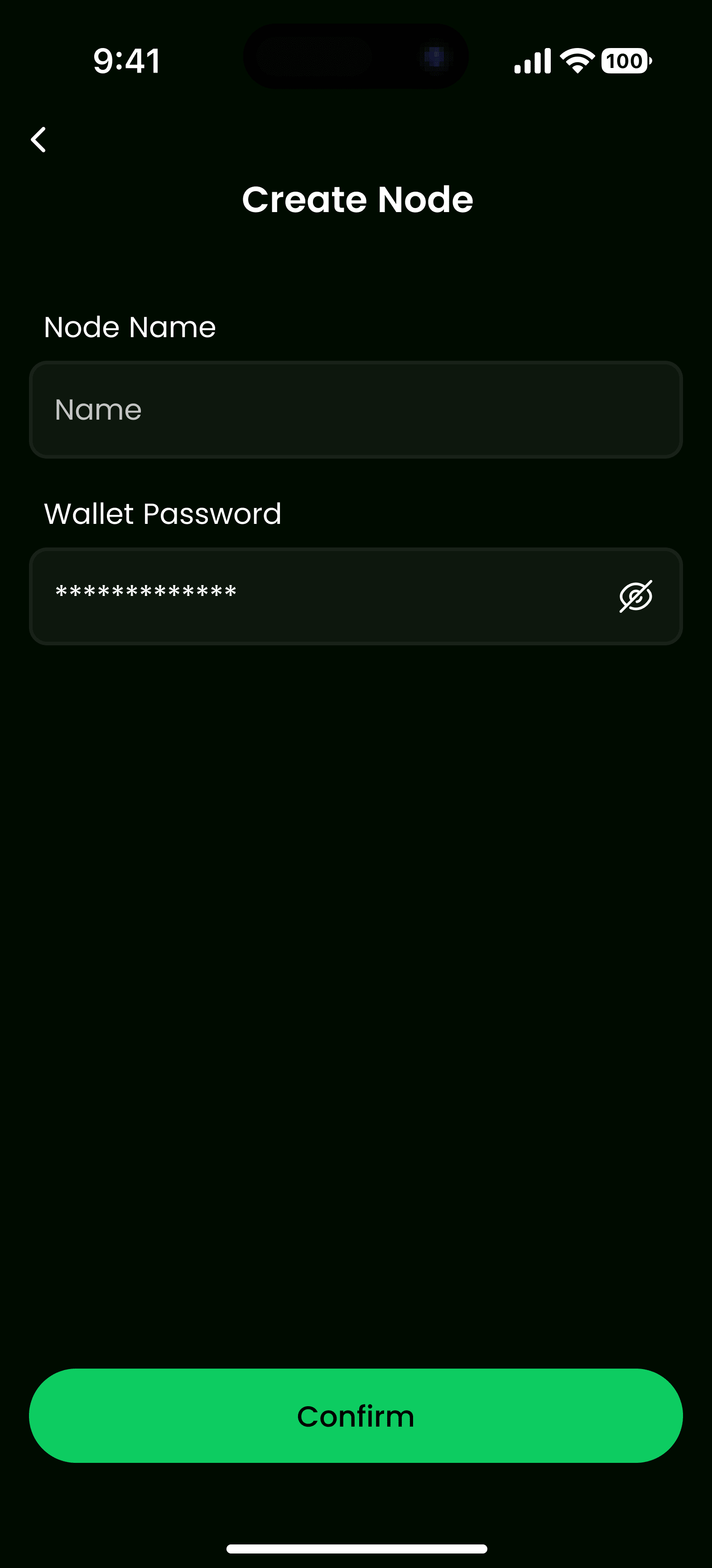
Become a validator by creating your own node:
- Navigate to Create Node section
- Provide node configuration details
- Stake the minimum required amount
- Set your commission rate
- Submit the node creation request
Requirements:
- Minimum stake amount
- Stable server infrastructure
- Valid node configuration
- Security best practices
Workflow
Validator List → Validator Detail → Stake/Unstake → My Validator
2. Governance & Voting Module
Voting Selection
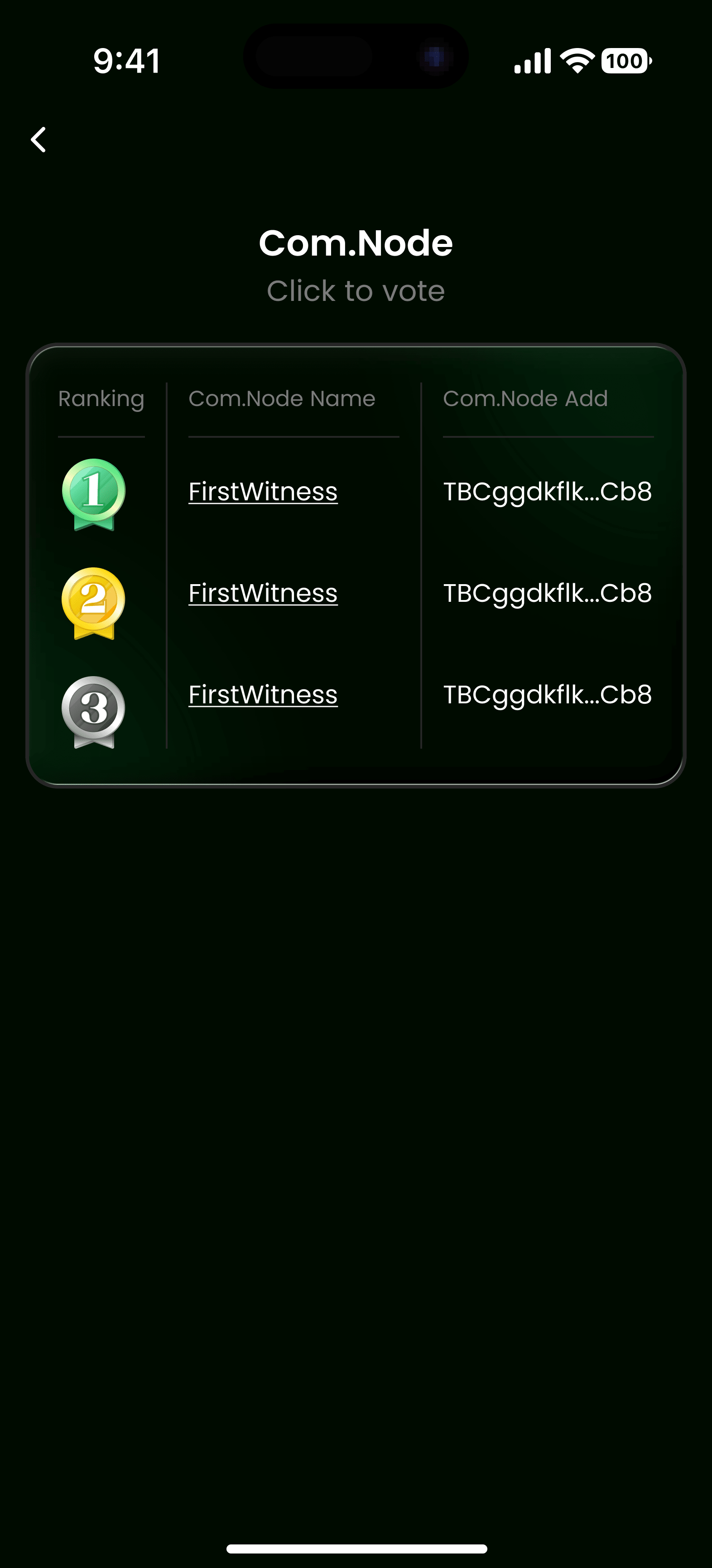
Participate in network governance by voting on proposals and validators:
- Access the Voting Selection interface
- Browse available proposals or validator elections
- Review proposal details and implications
- Select your voting option
Vote for Com.Node
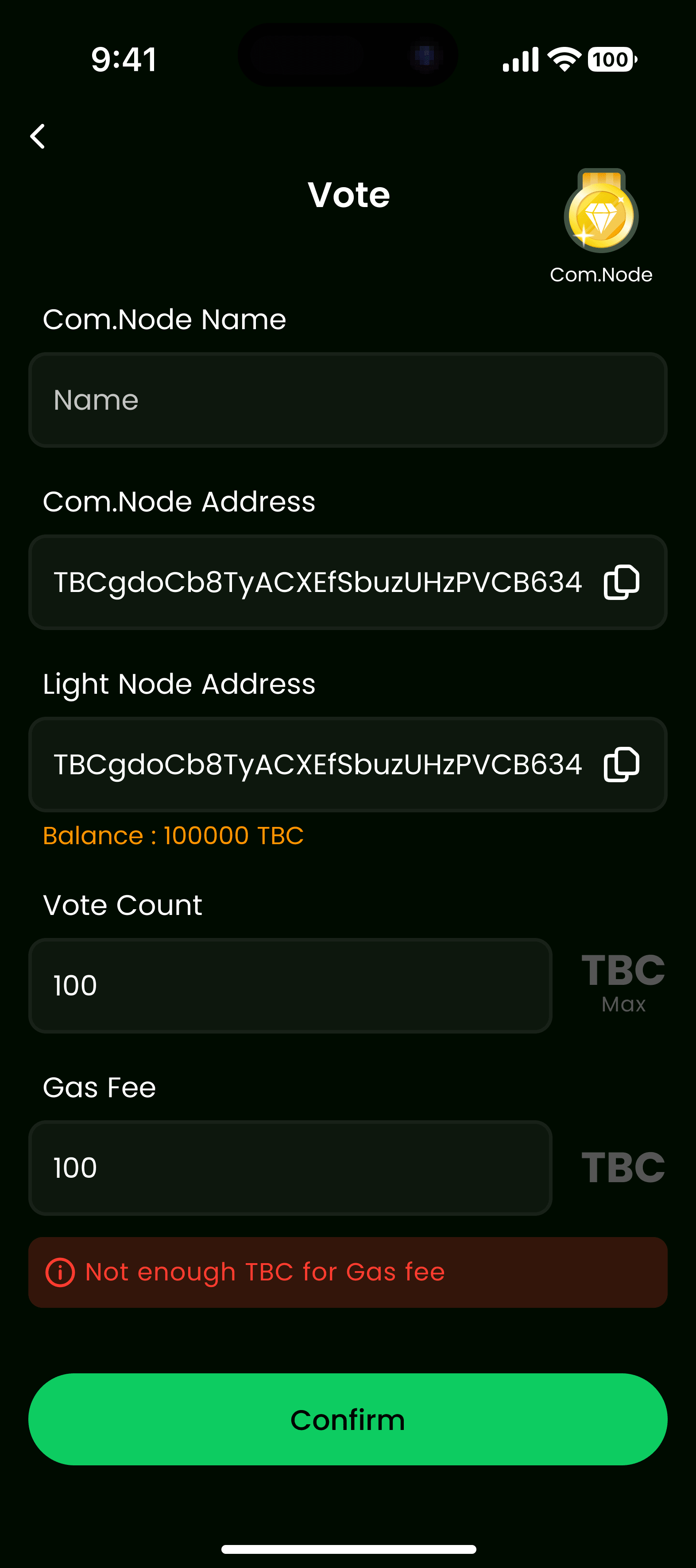
Vote for Common Nodes in validator elections:
- Navigate to Vote for Com.Node
- Select the node you want to support
- Review the node's track record and performance
- Confirm your vote
- Monitor voting progress
Voting Detail
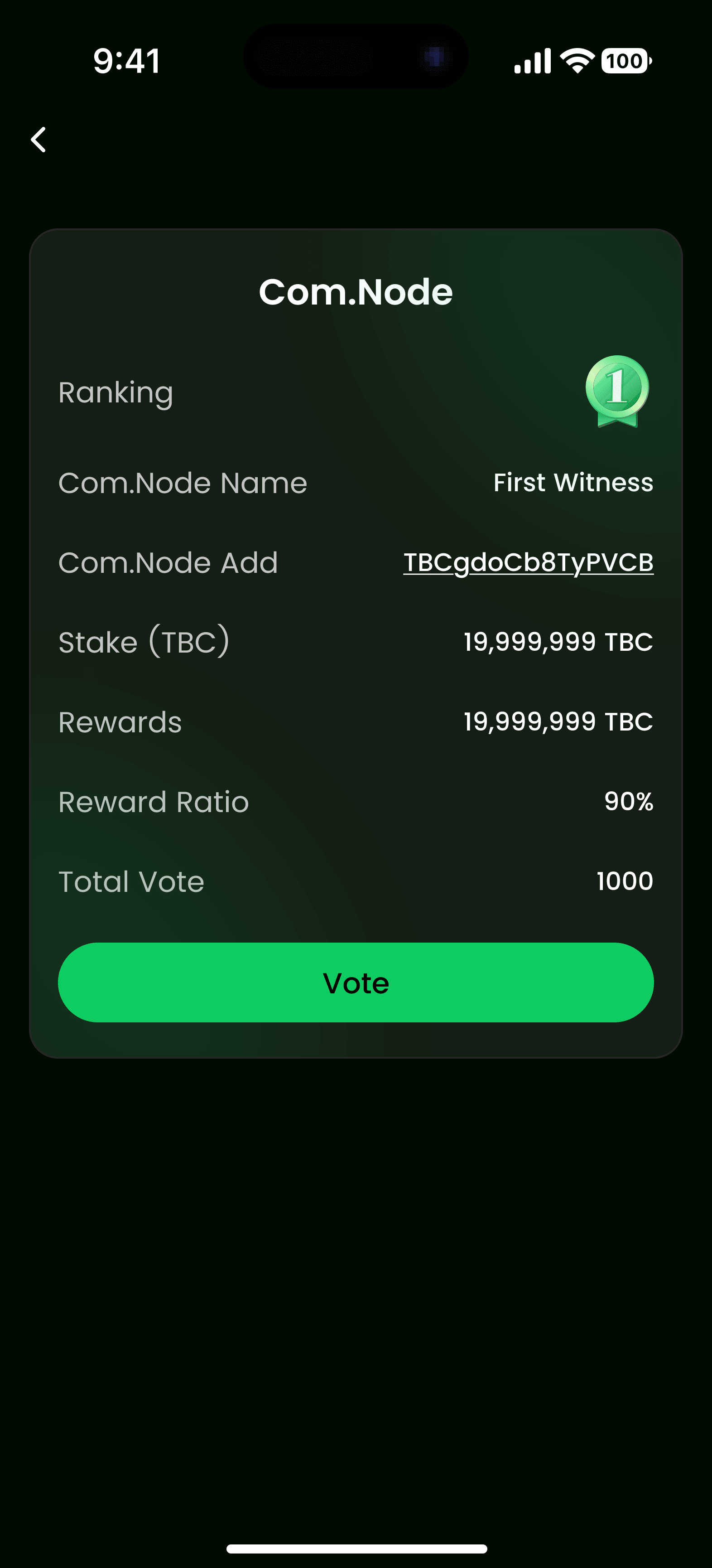
View comprehensive information about each vote:
- Voting Status: Current voting phase and progress
- Vote Distribution: Breakdown of votes for/against
- Time Remaining: Countdown to voting deadline
- Your Vote: Your current voting position
- Proposal Impact: Expected effects if proposal passes
Voting Record
Voting Record Detail / Voting Record Detail Com.Node
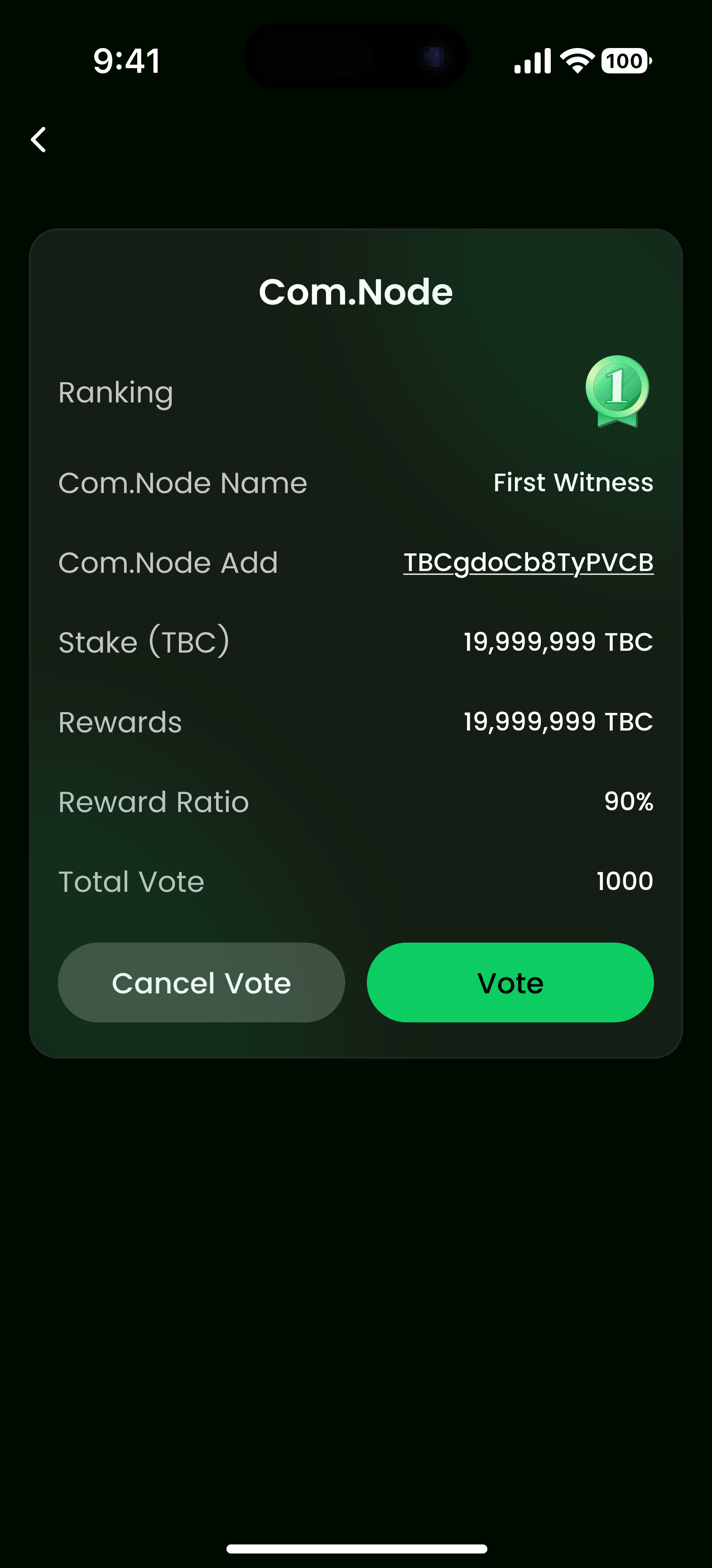
Access your complete voting history:
- Vote History: All votes you've cast
- Proposal Status: Current state of voted proposals
- Voting Outcomes: Results of past votes
- Reward Impact: How your votes affected rewards
Cancel Vote
Cancel Vote Warning
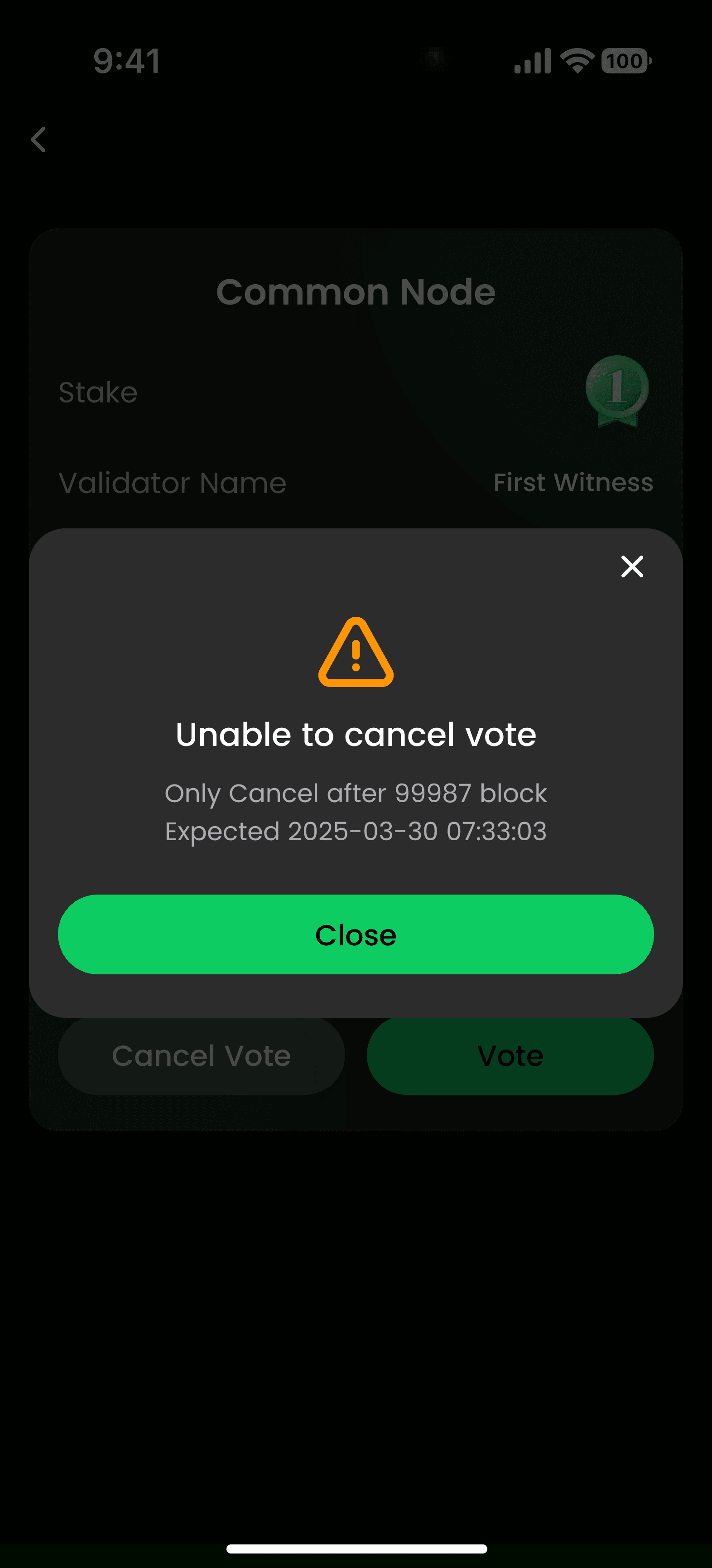
Before canceling a vote, review:
- Impact: How canceling affects the voting outcome
- Deadline: Whether you're within the cancellation window
- Consequences: Any penalties or restrictions
Warning: Some votes may not be cancellable after a certain period.
Workflow
Voting Selection → Vote for Com.Node → Voting Detail → Voting Record Detail
3. Node Management Module
Light Node Detail
Light Nodes are optimized validator nodes designed for efficiency:
- Configuration: Node setup and technical specifications
- Stake Amount: Total tokens staked on this node
- Performance Metrics: Uptime, block signing rate, latency
- Operational Status: Active, inactive, or maintenance mode
Com.Node Detail
Common Nodes serve as standard validators:
- Node Information: Detailed node specifications
- Staking Pool: Total stake from all delegators
- Reward Distribution: Current reward rates and history
- Network Position: Ranking among all validators
Staking Interface
Common Node to Com.Node Staking
Convert or stake between different node types:
- Select source node (Common Node)
- Choose target Com.Node
- Enter stake amount
- Review conversion rates and fees
- Confirm transaction
Filter (Select Node)
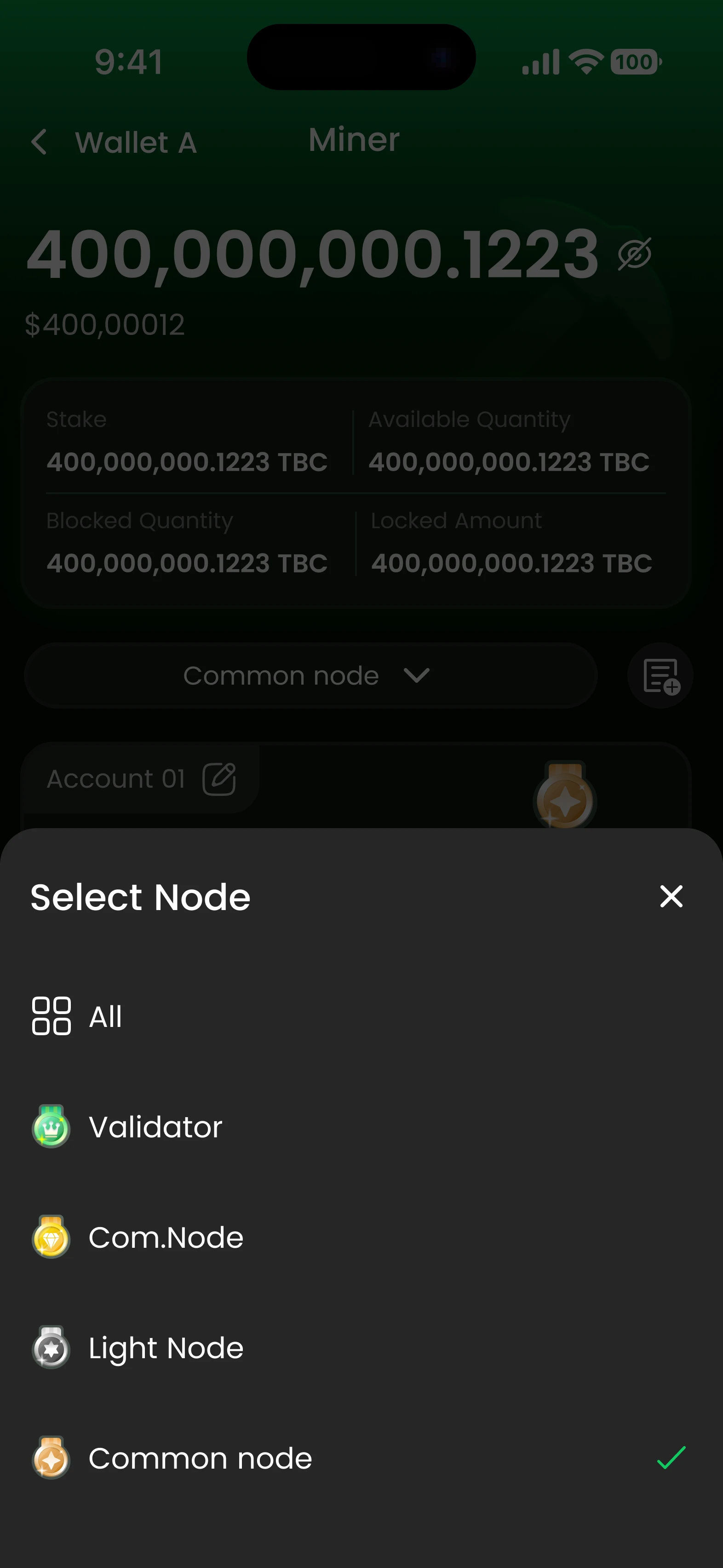
Use advanced filters to find the right node:
- Performance: Filter by uptime, success rate
- Rewards: Sort by reward rates or commission
- Status: Active, inactive, or new nodes
- Stake Amount: Minimum/maximum stake requirements
- Commission: Low to high commission rates
Workflow
Node List → (Filter) → Node Detail → Stake/Unstake
4. Reward & Miner History Module
Miner History
Track your staking and validation activity:
Reward History
- Daily Rewards: Breakdown of rewards by day
- Reward per Block: Earnings from block validation
- Total Accumulated: Sum of all rewards earned
- Withdrawal History: Records of reward withdrawals
Block Signing History
- Signed Blocks: List of blocks you've validated
- Success Rate: Percentage of successful block signs
- Block Rewards: Earnings from each signed block
- Network Contribution: Your impact on network security
Validator Performance
- Uptime Statistics: Percentage of time validator was active
- Reward Efficiency: Average rewards per staked token
- Comparison: Your performance vs. network average
Tracking Features
- Real-time reward updates
- Historical performance charts
- Exportable transaction history
- Reward projections based on current rates
5. Wallet & Token Module
Token Detail
View detailed information about staking tokens:
- Token Balance: Available tokens in your wallet
- Staked Amount: Tokens currently locked in staking
- Available for Staking: Unstaked tokens ready to use
- Reward Balance: Accumulated but unwithdrawn rewards
Withdrawal
Withdraw Rewards
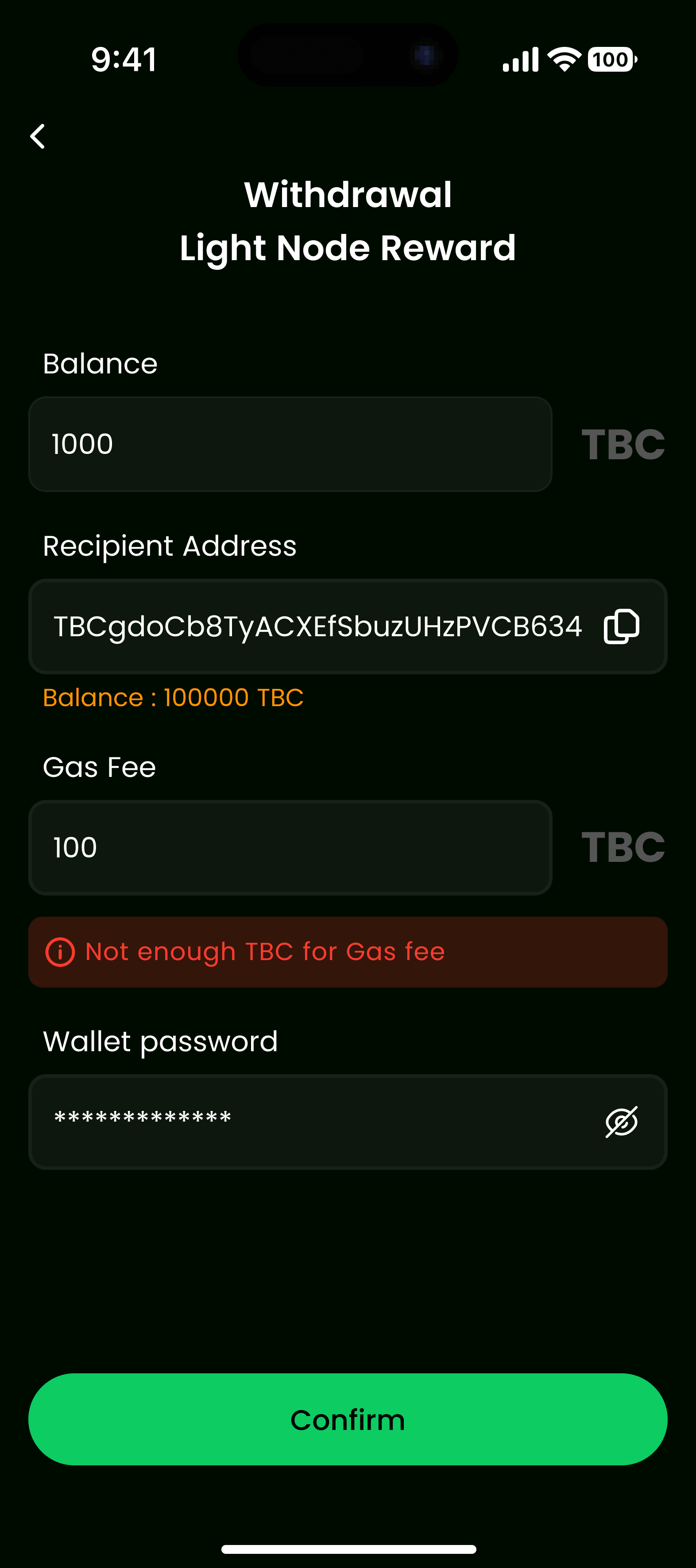
Withdraw your earned staking rewards:
- Navigate to Withdrawal section
- Review available reward balance
- Enter withdrawal amount
- Check transaction fees
- Confirm withdrawal
Withdraw Staked Tokens
After unstaking, withdraw your tokens:
- Ensure unbonding period has passed (if applicable)
- Go to Withdrawal section
- Select staked tokens to withdraw
- Enter amount
- Confirm transaction
Token Management
- Balance Tracking: Monitor all token balances
- Transaction History: Complete record of all transactions
- Reward Calculations: Detailed breakdown of reward accrual
- Multi-token Support: Manage multiple token types
Workflow
Token Detail → Withdrawal → Transaction Confirmation
Getting Started
Prerequisites
Before starting with PoS mining:
- TBC Wallet account with sufficient token balance
- Understanding of PoS staking mechanics
- Stable internet connection
- Basic knowledge of blockchain validation
Step-by-Step Guide
- Open TBC Wallet: Launch the application
- Navigate to Miner: Go to Features section and select "Miner"
- Explore Validators: Browse available validators and nodes
- Review Performance: Check validator metrics and commission rates
- Stake Tokens: Select a validator and stake your tokens
- Monitor Rewards: Track your staking rewards in real-time
- Participate in Governance: Vote on proposals and validator elections
- Manage Your Position: Adjust stakes, unstake, or create your own node
Best Practices
- Diversify Stakes: Don't stake all tokens with a single validator
- Monitor Performance: Regularly check validator uptime and rewards
- Stay Informed: Keep up with network governance proposals
- Security: Never share your private keys or recovery phrases
- Research: Research validators before staking large amounts
- Unbonding Period: Be aware of unbonding periods before unstaking
Security Features
Enhanced Protection
All staking operations are secured through TBC Wallet's security features:
- Multi-signature Support: Add extra security layers to staking transactions
- Encrypted Transactions: All operations are encrypted end-to-end
- Private Key Protection: Keys never leave your device
- Transaction Verification: Multi-step confirmation for critical operations
Risk Management
- Validator Monitoring: Automatic alerts for validator issues
- Slashing Protection: Information about slashing risks
- Emergency Unstaking: Procedures for urgent unstaking needs
Supported Networks
TBC Wallet's Miner feature supports PoS networks:
- TBChain: Native network with optimized PoS implementation
- Cross-chain Staking: Support for multiple blockchain networks
- Validator Networks: Various validator ecosystems
Frequently Asked Questions
Is PoS staking safe with TBC Wallet?
Yes, staking through TBC Wallet is secure. All transactions are encrypted, and your private keys remain on your device. However, staking carries inherent risks including validator slashing and network risks.
How often are rewards distributed?
Reward distribution depends on the network and validator. Most PoS networks distribute rewards continuously as blocks are validated, with withdrawal available at any time.
Can I stake with multiple validators?
Yes, you can stake with multiple validators simultaneously to diversify your risk and potentially increase rewards.
What is the minimum staking amount?
Minimum staking amounts vary by network and validator. Check individual validator requirements before staking.
How do I withdraw my staking rewards?
Rewards can be withdrawn at any time through the Withdrawal section. Staked tokens may require an unbonding period before withdrawal.
What happens if a validator is slashed?
If a validator you've staked with is slashed, you may lose a portion of your staked tokens proportional to the slash amount. Always research validators before staking.
Can I change validators after staking?
Yes, you can unstake from one validator and stake with another. Be aware of any unbonding periods that may apply.
Support
If you encounter any issues or have questions about PoS mining with TBC Wallet, please visit our Support Center or check our FAQ for more information.